Go Framework in Action
Go 版本安装
下载地址:https://go.dev/dl/
注意:MacOS 选择 go1.24.1.darwin-arm64.pkg 类型的安装包。
目录结构
my-project/
├── cmd/                # 可执行文件入口
│   └── myapp/          # 主程序入口目录
│       └── main.go     # main函数
├── internal/           # 私有代码(禁止外部引用)
│   ├── config/         # 配置处理
│   ├── controller/     # 控制层(HTTP handlers)
│   ├── service/        # 业务逻辑层
│   └── repository/     # 数据访问层
├── pkg/                # 公共库代码(允许外部引用)
│   ├── utils/          # 通用工具函数
│   └── middleware/     # HTTP中间件
├── api/                # API定义文件
│   ├── rest/           # REST API规范(OpenAPI/Swagger)
│   └── rpc/            # gRPC proto文件
├── configs/            # 配置文件模板
├── test/               # 集成测试和测试数据
├── scripts/            # 构建/部署脚本
├── deployments/        # 部署配置(Docker/K8s)
├── docs/               # 文档
├── go.mod              # 模块定义
└── go.sum              # 依赖校验
环境变量配置
# .bashrc

# golang
export PATH=$PATH:/usr/local/go/bin
export GOBIN=$HOME/go/bin
export PATH=$GOBIN:$PATH

# @refer https://learnku.com/go/t/39086#0b3da8
export GO111MODULE=on

# 进行设置 go proxy 和 go sumdb
export GOPROXY="xxx"
export GOPRIVATE=""
export GOSUMDB="xxx"
编译构建
代码目录示例:
.
├── app
│   └── demo
│       ├── bin
│       ├── cmd
│       ├── config
│       ├── deploy
│       ├── log
│       ├── scripts
│       └── tools
├── protocol
│   └── trpc
│       └── demo
└── vendor
构建脚本:
#!/bin/bash

# Colors for output
RED='\033[0;31m'
GREEN='\033[0;32m'
YELLOW='\033[1;33m'
BLUE='\033[0;34m'
NC='\033[0m' # No Color

SCRIPT_DIR=$( cd -- "$( dirname -- "${BASH_SOURCE[0]}" )" &> /dev/null && pwd )
cd "${SCRIPT_DIR}" || exit 1

PROJ_NAME=my-project
APP_DIR="app/demo"

# Script is in project root
PROJECT_ROOT="$SCRIPT_DIR"
APP_PATH="$SCRIPT_DIR/$APP_DIR"
BIN_DIR="$APP_PATH/bin"

# Helper functions
log_info() {
    echo -e "${BLUE}[INFO]${NC} $1"
}

log_success() {
    echo -e "${GREEN}[SUCCESS]${NC} $1"
}

log_error() {
    echo -e "${RED}[ERROR]${NC} $1" >&2
}

log_warning() {
    echo -e "${YELLOW}[WARNING]${NC} $1"
}

# Print section header
print_section() {
    echo ""
    echo "=========================================="
    echo "$1"
    echo "=========================================="
}

# Ensure bin directory exists
ensure_bin_dir() {
    if [[ ! -d "$BIN_DIR" ]]; then
        mkdir -p "$BIN_DIR"
        log_info "Created bin directory: $BIN_DIR"
    fi
}

# Build the project
build() {
    print_section "Building $PROJ_NAME"

    # Get version information
    COMMIT=$(git rev-parse --short HEAD 2>/dev/null)
    if [[ -z $COMMIT ]]; then
        log_warning "Not a git repository or failed to get commit hash"
        COMMIT="unknown"
    fi

    VERSION=$(git describe --tags --abbrev=14 "${COMMIT}^{commit}" --always 2>/dev/null || echo $COMMIT)

    log_info "Commit: $COMMIT"
    log_info "Version: $VERSION"
    echo ""

    # Ensure bin directory exists
    ensure_bin_dir

    # Run go mod commands in project root
    cd "$PROJECT_ROOT" || exit 1

    # Clean dependencies
    log_info "Running go mod tidy in $PROJECT_ROOT..."
    if ! go mod tidy; then
        log_error "go mod tidy failed"
        exit 1
    fi

    # Update vendor for code browsing
    log_info "Updating vendor directory for code browsing..."
    if ! go mod vendor; then
        log_error "go mod vendor failed"
        exit 1
    fi

    log_info "Vendor directory updated for IDE browsing"
    log_info "Note: Building with -mod=mod to use complete source from module cache"
    echo ""

    # Build - switch to app directory
    log_info "Building binary in $APP_PATH..."
    start_time=$(date +%s)

    cd "$APP_PATH" || exit 1

    if CGO_ENABLED=1 GOOS=linux go build -mod=mod \
        -ldflags "-X 'main.Version=$VERSION' -X 'main.Commit=$COMMIT'" \
        -v -o "./bin/$PROJ_NAME" "./cmd/$PROJ_NAME"; then
        end_time=$(date +%s)
        build_time=$((end_time - start_time))

        log_success "Build completed in ${build_time}s"
        echo ""

        # Show binary information
        if [[ -f "./bin/$PROJ_NAME" ]]; then
            binary_size=$(ls -lh "./bin/$PROJ_NAME" | awk '{print $5}')
            binary_path="$(pwd)/bin/$PROJ_NAME"
            log_info "Binary: $binary_path"
            log_info "Size: $binary_size"

            # Get Go version used
            go_version=$(go version | awk '{print $3}')
            log_info "Go version: $go_version"
        fi
    else
        log_error "Build failed"
        exit 1
    fi
}

# Clean build artifacts
clean() {
    print_section "Cleaning Build Artifacts"

    # Clean binary directory in app
    if [[ -d "$APP_PATH/bin" ]]; then
        rm -rf "$APP_PATH/bin"
        log_info "Removed $APP_PATH/bin directory"
    fi

    # Clean vendor in project root
    if [[ -d "$PROJECT_ROOT/vendor" ]]; then
        rm -rf "$PROJECT_ROOT/vendor"
        log_info "Removed vendor directory"
    fi

    log_success "Clean completed"
    log_info "Note: Module cache (~/go/pkg/mod) is preserved for faster builds"
    log_info "Use 'go clean -modcache' if you need to clear it"
}

# Clean everything including module cache
clean_all() {
    print_section "Cleaning Everything (Including Module Cache)"

    # Clean build artifacts first
    if [[ -d "$APP_PATH/bin" ]]; then
        rm -rf "$APP_PATH/bin"
        log_info "Removed $APP_PATH/bin directory"
    fi

    if [[ -d "$PROJECT_ROOT/vendor" ]]; then
        rm -rf "$PROJECT_ROOT/vendor"
        log_info "Removed vendor directory"
    fi

    # Clean module cache
    log_warning "Removing module cache (this may take a while)..."
    if go clean -modcache; then
        log_info "Module cache cleared"
    else
        log_error "Failed to clear module cache"
    fi

    log_success "Deep clean completed"
}

# Run tests
test() {
    print_section "Running Tests"

    log_info "Running go test..."
    go test -v ./... || {
        log_error "Tests failed"
        exit 1
    }

    log_success "All tests passed"
}

# Show binary information
info() {
    print_section "Project Information"

    binary_path="$APP_PATH/bin/$PROJ_NAME"
    if [[ -f "$binary_path" ]]; then
        log_info "Binary exists: $binary_path"
        ls -lh "$binary_path"
        file "$binary_path"

        cd "$APP_PATH" || exit 1
        # Try to get version from binary
        if ./bin/$PROJ_NAME --version 2>/dev/null || ./bin/$PROJ_NAME -version 2>/dev/null; then
            echo ""
        fi
    else
        log_warning "Binary not found at $binary_path"
        log_warning "Run '$0 build' first."
    fi
}

# Show usage
usage() {
    echo "Usage: $0 [command]"
    echo ""
    echo "Commands:"
    echo "  build, b      Build the project (default)"
    echo "  clean, c      Clean build artifacts (bin, vendor)"
    echo "  clean-all     Clean everything including module cache"
    echo "  test, t       Run tests"
    echo "  info, i       Show project information"
    echo "  help, h       Show this help message"
    echo ""
    echo "Examples:"
    echo "  $0 build       Build the project"
    echo "  $0 clean       Clean bin and vendor directories"
    echo "  $0 clean-all   Clean everything (including ~/go/pkg/mod)"
    echo "  $0 info        Show binary information"
    echo ""
}

# Main
case "${1:-build}" in
    build|b)
        build
        ;;
    clean|c)
        clean
        ;;
    clean-all)
        clean_all
        ;;
    test|t)
        test
        ;;
    info|i)
        info
        ;;
    help|h|--help|-h)
        usage
        ;;
    *)
        log_error "Unknown command: $1"
        usage
        exit 1
        ;;
esac
GoLang IDE
GoLand
TODO
VSCode
启用 gopls
可以在工程的 VSCode .vscode/settings.json 配置中设置开启 gopls 服务,即,"go.useLanguageServer": true
{
    "editor.insertSpaces": true,
    "editor.tabSize": 4,
    "files.encoding": "utf8",
    "files.eol": "\n",
    "gopls": {
    },
    "go.useLanguageServer": true,
    "go.languageServerFlags": ["-remote=auto", "-logfile=auto", "-debug=:0", "-rpc.trace",],
    "[go]": {
        "editor.formatOnSave": true
    },
}
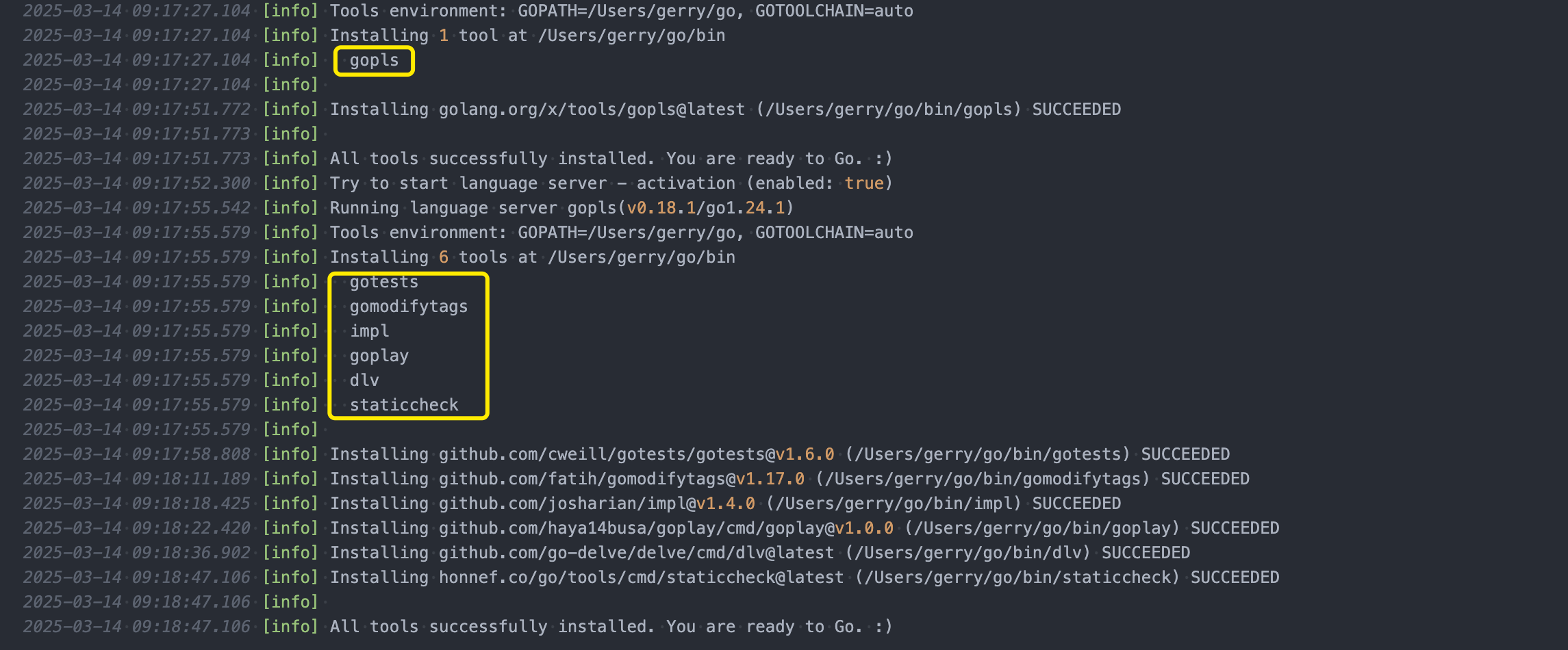
VSCode 第一次加载时会根据 settings.json 配置下载和启动 gopls 服务。
首先安装 Go for Visual Studio Code 扩展,该插件最初是微软维护的,目前已经交给 Go Team 维护。The VS Code Go extension provides rich language support for the Go programming language.
当在 VSCode 中启用 Use Language Server 时,它会启动一个 gopls 进程,即它就是 LSP 的实现,VSCode 通过 vscode-go 和 gopls 通讯。
打开 VSCode 配置界面,定位到 Extensions -> Go 中,找到 Use Language Server,勾选上。
对应的配置是:”Go.useLanguageServer”: true。如果本地没有安装 gopls,会提示安装。如果没有提示,可以通过 Command Palette 命令窗口,搜索 Go: Install/Update Tools 命令并选择 gopls 进行安装。当 gopls 有更新时,VSCode 会自动更新。
关于 gopls 的配置:https://github.com/golang/tools/blob/master/gopls/doc/settings.md
默认情况下,每次启动一个 VSCode 窗口,gopls 进程就会多一个。因为 gopls 需要维护大量的缓存,方便对编辑的源代码进行分析。因此,这种工作模式会导致 gopls 占用太多资源。为了解决此类问题,gopls 支持一种新的模式,即启动一个单一的、持久的、共享的 gopls “守护进程” 负责管理所有 gopls 会话。在这种模式下,编辑器的每一个窗口依然会启动一个新的 gopls,不过这个 gopls 只是充当转发器,负责将 LSP 转发到那个共享的 gopls 实例,并记录相关指标、日志和 rpc 跟踪,因此这个 gopls 占用资源很少。
要使用共享 gopls 实例,必须有一个守护进程。可以手动启动,不过更方便的是让 gopls 转发器进程根据需要启动共享守护进程。具体来说是使用 -remote=true 这个 flag。这将导致该进程在需要时自动启动 gopls 守护进程,连接到它并转发 LSP。
注意:在没有连接客户端的情况下,共享
gopls进程将在一分钟后自动关闭。关于共享gopls更多的内容,可以查看 Gopls: Running as a daemon 文档。
$ gopls -h

gopls is a Go language server.

It is typically used with an editor to provide language features. When no
command is specified, gopls will default to the 'serve' command. The language
features can also be accessed via the gopls command-line interface.

For documentation of all its features, see:

   https://github.com/golang/tools/blob/master/gopls/doc/features

Usage:
  gopls help [<subject>]

Command:

Main
  serve             run a server for Go code using the Language Server Protocol
  version           print the gopls version information
  bug               report a bug in gopls
  help              print usage information for subcommands
  api-json          print JSON describing gopls API
  licenses          print licenses of included software

Features
  call_hierarchy    display selected identifier's call hierarchy
  check             show diagnostic results for the specified file
  codeaction        list or execute code actions
  codelens          List or execute code lenses for a file
  definition        show declaration of selected identifier
  execute           Execute a gopls custom LSP command
  fix               apply suggested fixes (obsolete)
  folding_ranges    display selected file's folding ranges
  format            format the code according to the go standard
  highlight         display selected identifier's highlights
  implementation    display selected identifier's implementation
  imports           updates import statements
  remote            interact with the gopls daemon
  inspect           interact with the gopls daemon (deprecated: use 'remote')
  links             list links in a file
  prepare_rename    test validity of a rename operation at location
  references        display selected identifier's references
  rename            rename selected identifier
  semtok            show semantic tokens for the specified file
  signature         display selected identifier's signature
  stats             print workspace statistics
  symbols           display selected file's symbols
  workspace_symbol  search symbols in workspace

flags:
  -debug=string
        serve debug information on the supplied address
  -listen=string
        address on which to listen for remote connections. If prefixed by 'unix;', the subsequent address is assumed to be a unix domain socket. Otherwise, TCP is used.
  -listen.timeout=duration
        when used with -listen, shut down the server when there are no connected clients for this duration
  -logfile=string
        filename to log to. if value is "auto", then logging to a default output file is enabled
  -mode=string
        no effect
  -ocagent=string
        the address of the ocagent (e.g. http://localhost:55678), or off (default "off")
  -port=int
        port on which to run gopls for debugging purposes
  -profile.alloc=string
        write alloc profile to this file
  -profile.block=string
        write block profile to this file
  -profile.cpu=string
        write CPU profile to this file
  -profile.mem=string
        write memory profile to this file
  -profile.trace=string
        write trace log to this file
  -remote=string
        forward all commands to a remote lsp specified by this flag. With no special prefix, this is assumed to be a TCP address. If prefixed by 'unix;', the subsequent address is assumed to be a unix domain socket. If 'auto', or prefixed by 'auto;', the remote address is automatically resolved based on the executing environment.
  -remote.debug=string
        when used with -remote=auto, the -debug value used to start the daemon
  -remote.listen.timeout=duration
        when used with -remote=auto, the -listen.timeout value used to start the daemon (default 1m0s)
  -remote.logfile=string
        when used with -remote=auto, the -logfile value used to start the daemon
  -rpc.trace
        print the full rpc trace in lsp inspector format
  -v,-verbose
        verbose output
  -vv,-veryverbose
        very verbose output
Tools
gopkgs
这是 go list all 命令的替代者,用于列出可用的 Go 包,速度比 go list all 更快。
# Go 1.12+
go install github.com/uudashr/gopkgs/v2/cmd/gopkgs@latest
go-outline
将 Go 源码中的声明提取为 JSON 的工具。
go get -u github.com/lukehoban/go-outline
goimports
自动导入缺失或移除多余的 import。同时还兼带有 gofmt 的功能。
golangci-lint
golangci-lint is a Go linters aggregator.
# binary will be $(go env GOPATH)/bin/golangci-lint
curl -sSfL https://raw.githubusercontent.com/golangci/golangci-lint/master/install.sh | sh -s -- -b $(go env GOPATH)/bin v1.52.2

golangci-lint --version
delve
专为 Go 的调试器。
最佳实践
- 分层架构
- 采用清晰的层级分离(Controller-Service-Repository)
- 使用依赖注入模式(推荐 Wire)
- 遵循整洁架构原则
- 配置管理
// 推荐使用 Viper + 环境变量
func InitConfig() {
    viper.AutomaticEnv()
    viper.SetConfigFile(".env")
    if err := viper.ReadInConfig(); err != nil {
        log.Fatal("Error reading config: ", err)
    }
}
- 错误处理
- 使用
errors.Wrap保留堆栈信息 - 定义可导出错误类型
- 使用
var ErrRecordNotFound = errors.New("record not found")
- 日志规范
// 推荐使用 zap 或 logrus
logger, _ := zap.NewProduction()
defer logger.Sync()
logger.Info("Server started",
    zap.String("port", cfg.Port),
    zap.Int("workers", cfg.Workers))
- 测试策略
- 单元测试:与被测试文件同目录(
_test.go) - 集成测试:单独
test目录 - 使用
testify/assert做断言 - 使用
gomock生成测试 mock
- 单元测试:与被测试文件同目录(
- 性能优化
- 使用
pprof进行性能分析 - 避免频繁内存分配(
sync.Pool管理对象池) - 使用
benchmark测试关键路径
- 使用
- 安全实践
- 启用
-race进行竞态检测 - 使用
crypto/rand生成随机数 - 对用户输入严格校验(推荐
validator)
- 启用
- 持续集成
# 示例 GitHub Actions 配置
name: CI
on: [push]
jobs:
  test:
    runs-on: ubuntu-latest
    steps:
      - uses: actions/checkout@v2
      - uses: actions/setup-go@v2
        with: { go-version: '1.21' }
      - run: go test -race -coverprofile=coverage.txt ./...
- 文档生成
# 安装 swag 工具
go install github.com/swaggo/swag/cmd/swag@latest

# 生成 API 文档
swag init -g cmd/myapp/main.go
- 代码质量
- 使用
golangci-lint进行静态检查 - 设置
pre-commit钩子
- 使用
# .pre-commit-config.yaml
repos:
- repo: https://github.com/golangci/golangci-lint
  rev: v1.55.2
  hooks:
    - id: golangci-lint
- 微服务架构
- 使用
go-kit或gRPC构建服务 - 添加
api目录存放proto文件 - 实现健康检查端点
- 使用
- 分布式追踪
// 使用 OpenTelemetry
provider := otel.GetTracerProvider()
tracer := provider.Tracer("service-name")
ctx, span := tracer.Start(ctx, "operation-name")
defer span.End()
- 错误监控
- 集成
Sentry或DataDog
- 集成
sentry.Init(sentry.ClientOptions{
    Dsn: "your-dsn",
    Release: "myapp@v1.0.0",
})
- 代码生成
- 使用
go:generate指令
- 使用
//go:generate mockgen -source=repository.go -destination=mock_repository.go -package=repository
- 性能关键路径
- 使用
cgo优化计算密集型任务 - 考虑使用汇编优化(
math/big等标准库做法)
- 使用
代码工程
初始化模块
go mod init my-project
go mod tidy
单元测试
# 安装测试依赖
go install github.com/stretchr/testify@v1.9.0
go install github.com/stretchr/testify/mock@v1.9.0

# 执行测试
go test -v ./...
第三方组件
配置
https://github.com/spf13/viper
日志
- https://github.com/uber-go/zap
- https://github.com/uber-go/zap/blob/master/FAQ.md
简单示例:
// 高性能模式(零内存分配)
logger := zap.NewExample()
defer logger.Sync()
logger.Debug("This is a debug message")

// 兼容模式(类似 fmt.Printf)
sugar := logger.Sugar()
sugar.Debugf("Formatted message: %s", "value")
在其他 package 中使用 zap 的全局实例(推荐):
import "go.uber.org/zap"

func example() {
	zap.L().Info("This is a log using global instance")
}
Gin (高性能 HTTP Web 框架)
Gin is a web framework written in Go. It features a martini-like API with performance that is up to 40 times faster thanks to httprouter. If you need performance and good productivity, you will love Gin.
Tips
生成 vendor 目录 (方便查看第三方源码)
# 在 VS Code 终端运行
go mod vendor
注意:如果使用
-mod=vendor模式构建,vendor 仅包含 Go 代码,不含 C/C++ 头文件代码,会提示找不到 C/C++ 头文件导致编译错误。需要改为编译使用-mod=mod强制使用 module 模式,而不是使用 vendor 目录的代码构建,从 module 缓存读取完整 C/C++ 源码,Go module 缓存保留完整 C/C++ 源码,满足 CGO 编译需要。
清理旧依赖缓存
go clean -cache
go clean -modcache
注意:模块缓存的位置在 ~/go/pkg/mod 或 $GOMODCACHE,存储已下载的模块源码。作用是避免重复下载,加快构建。默认构建流程不建议清空,否则需要重新下载所有依赖。
GoLang GOOS and GOARCH
获取当前环境变量信息:
go env GOOS
go env GOARCH
All of the following information is based on go version go1.17.1 darwin/amd64.
GOOS Values
| GOOS | Out of the Box |
|---|---|
aix |
✅ |
android |
✅ |
darwin |
✅ |
dragonfly |
✅ |
freebsd |
✅ |
hurd |
|
illumos |
✅ |
ios |
✅ |
js |
✅ |
linux |
✅ |
nacl |
|
netbsd |
✅ |
openbsd |
✅ |
plan9 |
✅ |
solaris |
✅ |
windows |
✅ |
zos |
Note: “Out of the box” means the GOOS is supported out of the box, i.e. the stocked
gocommand can build the source code without the help of a C compiler, etc.
Note: The full list is based on https://github.com/golang/go/blob/master/src/go/build/syslist.go. The “out of the box” information is based on the result of 2-make1.sh below.
GOARCH Values
| GOARCH | Out of the Box | 32-bit | 64-bit |
|---|---|---|---|
386 |
✅ | ✅ | |
amd64 |
✅ | ✅ | |
amd64p32 |
✅ | ||
arm |
✅ | ✅ | |
arm64 |
✅ | ✅ | |
arm64be |
✅ | ||
armbe |
✅ | ||
loong64 |
✅ | ||
mips |
✅ | ✅ | |
mips64 |
✅ | ✅ | |
mips64le |
✅ | ✅ | |
mips64p32 |
✅ | ||
mips64p32le |
✅ | ||
mipsle |
✅ | ✅ | |
ppc |
✅ | ||
ppc64 |
✅ | ✅ | |
ppc64le |
✅ | ✅ | |
riscv |
✅ | ||
riscv64 |
✅ | ✅ | |
s390 |
✅ | ||
s390x |
✅ | ✅ | |
sparc |
✅ | ||
sparc64 |
✅ | ||
wasm |
✅ | ✅ |
All 32-bit GOARCH values:
"386", "amd64p32", "arm", "armbe", "mips", "mips64p32", "mips64p32le", "mipsle", "ppc", "riscv", "s390", "sparc"
All 64-bit GOARCH values:
"amd64", "arm64", "arm64be", "loong64", "mips64", "mips64le", "ppc64", "ppc64le", "riscv64", "s390x", "sparc64", "wasm"
Note: “Out of the box” means the GOARCH is supported out of the box, i.e. the stocked
gocommand can build the source code without the help of a C compiler, etc.
Note: The full list is based on https://github.com/golang/go/blob/master/src/go/build/syslist.go. The “out of the box” information is based on the result of 2-make1.sh below. The “32-bit/64-bit” information is based on the result of 4-make2.sh below and https://golang.org/doc/install/source.
工具
安装 Protocol Buffers
macOS
# 1. 下载
# https://github.com/protocolbuffers/protobuf/releases/
# 2. 解压
unzip protoc-30.1-osx-aarch_64.zip -d /usr/local/protoc
# 3. 添加环境变量 ~/.zshrc
export PATH="$PATH:/usr/local/protoc/bin"
# 4. 刷新配置
source ~/.zshrc
# 5. 解决 MacOS 安全限制
# 首次运行时若提示"无法验证开发者",需前往 系统设置 → 隐私与安全性 → 仍允许,以授权
# 6. 验证安装
protoc --version
Linux
apt-get install -y protobuf-compiler
golangci-lint
golangci-lint is a fast Go linters runner. It runs linters in parallel, uses caching, supports YAML configuration, integrates with all major IDEs, and includes over a hundred linters.
# binary will be $(go env GOPATH)/bin/golangci-lint
curl -sSfL https://raw.githubusercontent.com/golangci/golangci-lint/HEAD/install.sh | sh -s -- -b $(go env GOPATH)/bin v1.64.7

golangci-lint --version
jq
jq is a lightweight and flexible command-line JSON processor akin to sed, awk, grep, and friends for JSON data. It’s written in portable C and has zero runtime dependencies, allowing you to easily slice, filter, map, and transform structured data.
https://github.com/jqlang/jq/releases